> ## Documentation Index
> Fetch the complete documentation index at: https://docs.cortex.foundation/llms.txt
> Use this file to discover all available pages before exploring further.
# Changes and diffs
> The Changes pane is where a file write waits for a human Approve, and where a proposed diff becomes a landed one.
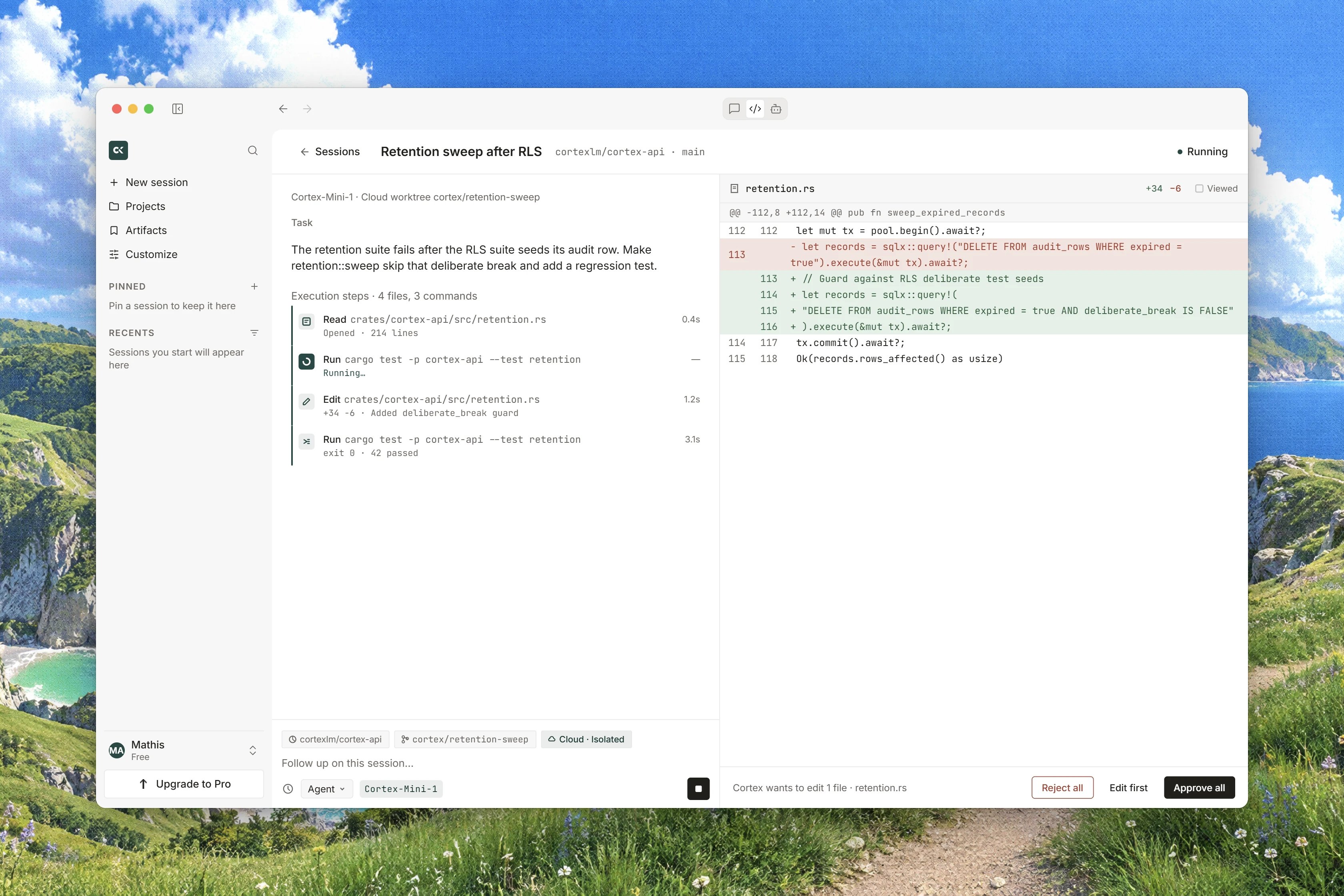
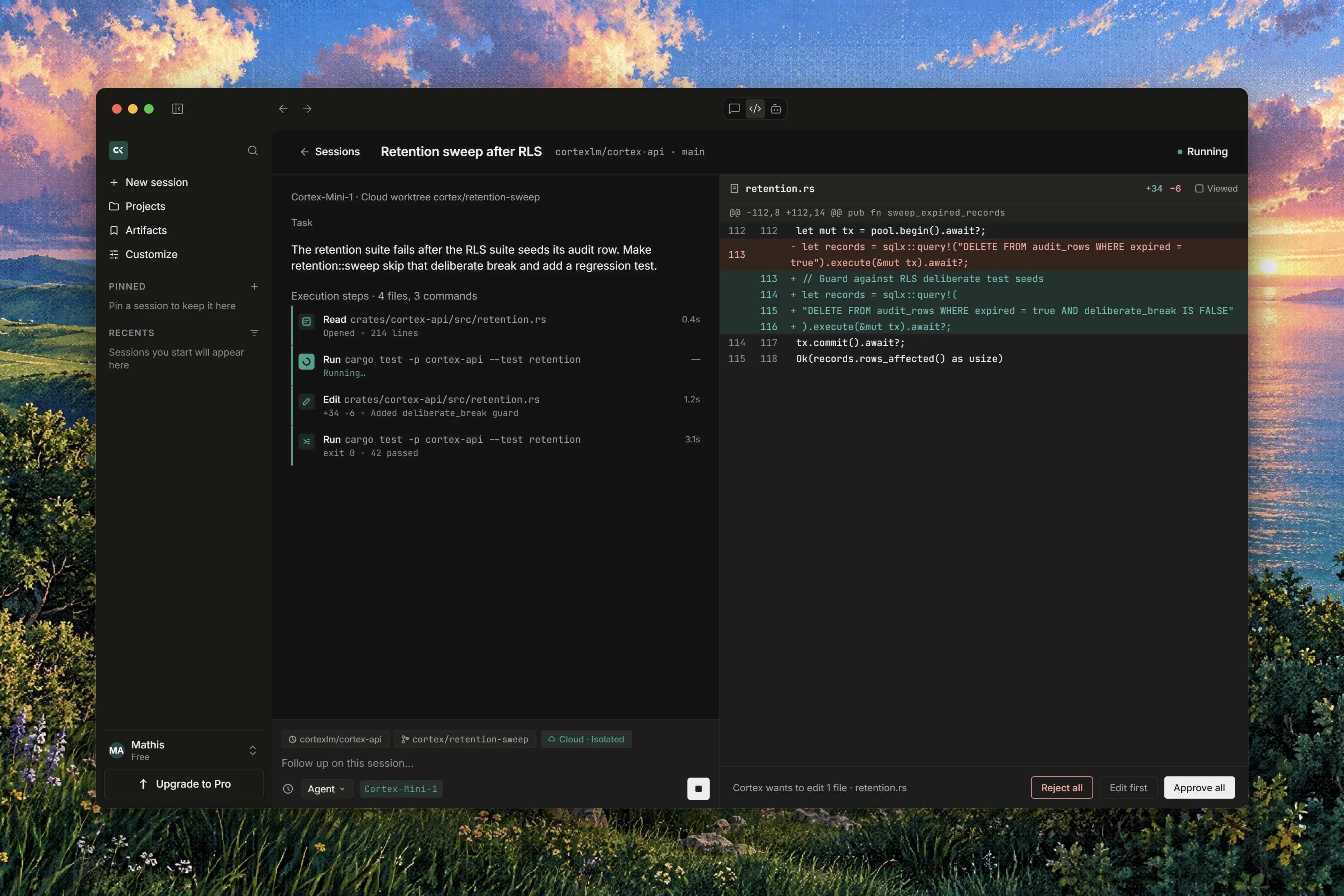
When an Agent turn touches a file, the file does not quietly change. It appears in the **Changes** tab of the session's output pane with a state you can read, and it waits there for a human decision. This is the gate that matters most in Cortex Code: a write is never covered by a session-level permission, and the tree is not written until someone presses **Approve**.
This page covers the **Changes** tab and its per-file controls, the difference between the diff you read before a write and the diff you read after it, the live **Diff** tab, commenting on a line, and where the branch and the pull request show up. The command side of permissions lives on [Permissions and approvals](/code/approvals).
## The Changes tab
The output pane on the right of a session carries the tabs **Changes**, **Diff**, **Git**, **Terminal** and, when there is one, **Plan**. **Changes** opens on the files this turn has touched, with a header count that reads **1 file changed** or **3 files changed** as the turn goes on. While the pane is reading the runtime it says **Loading changes…**
Each file carries one of four states:
| State | What it means |
| ----------- | ------------------------------------------------------------------------------------ |
| **Queued** | The agent intends to write this file; nothing has happened to it yet. |
| **Writing** | The write is in flight inside the runtime. |
| **Pending** | The write is proposed and waiting for your decision. This is the one that needs you. |
| **Written** | The write has been applied in the runtime's working tree. |
Controls in the pane:
* **Approve** on a single file, labelled **Approve this file** for screen readers, and **Reject**, labelled **Reject this file**.
* **Approve all** and **Reject** for the whole batch.
* **Follow**, which becomes **Following**, pins the pane to whichever file is being written so you do not have to chase a long turn.
If the working tree cannot be read the pane says **The changes could not be read from the runtime.** rather than showing you an empty diff, and if the write gate itself cannot be read it says **Pending file writes could not be loaded.** Either way, nothing has been approved on your behalf.
## Approve or reject a write
A **Pending** file is a proposal. Read the diff in front of you before you answer.
Press **Approve** on the file, or **Approve all** when you have read the batch and want it applied together.
Press **Reject** to refuse the write. Where the surface offers the note, write your reason under **Why reject this write**: the agent reads it and can propose something else on the next turn.
The diff you approve is the one that was sealed when the agent proposed it, not a fresh read taken while you were deciding. A preview that cannot be read cannot be approved, and the destination path is confirmed again immediately before the write lands.
**There is no undo, no checkpoint and no revert.** **Reject** is only available while a write is **Pending**. Once a write is **Written** there is no control anywhere in Code that takes it back, so read a diff before you approve it rather than after.
## A proposed diff and a landed diff are not the same
The same pane shows you two different things at two different moments, and it is worth knowing which one you are looking at.
| | Proposed diff | Landed diff |
| --------------- | ---------------------------------------- | ------------------------------------------- |
| When | Before the write is approved | After the branch exists |
| What it is | What the agent intends to do to the file | What is actually in the session's branch |
| What you can do | **Approve** or **Reject** it | Read it, comment on it, open a pull request |
A **Pending** row with a diff is a proposal about the future. A **Written** row is history. If you find yourself wanting to change your mind, check which of the two you are reading: only the first can still be refused.
## The Diff tab reads the runtime live
The **Diff** tab is not a stored snapshot. It reads the working tree of the runtime the session attached, right now, which is why its caption reads **Live from the Cloud guest**. If the tree cannot be read, the tab reports **The changes could not be read from the runtime.**
Every Cloud session works in its own isolated worktree, shown on the worktree strip as **Isolated · Cloud guest** with the hint **Each Cloud session uses its own isolated worktree. Chat and the CLI are not this page.** **New worktree** starts a fresh one, and reads **Opening…** while it does. See [Repositories and branches](/code/repositories).
## Comment on a line
Any line of a diff can start an inline comment. The box reads **Write a follow-up about this line…**, with **Cancel** and **Send as follow-up**.
An inline comment is sent as a normal follow-up turn, not stored as a code annotation. It is the fastest way to say "this line is wrong, and here is why" without retyping the file name, but it starts a turn like any other follow-up.
## From a change to a pull request
The **Git** tab carries the branch and the pull request. It reads **No branch yet** until a Cortex branch has been created, then either **No pull request** or **Open pull request** once there is one. Cortex pushes only to its own branches, so an agent cannot push over your default branch.
That is the shape of the whole product: changes arrive as a branch and a pull request, never as a patch to copy out of a box.
## In Ask and Plan there is nothing here
In **Ask** or **Plan** mode the pane says so instead of looking broken:
> **Ask and Plan do not change files, so there is nothing to review here.**
Those two modes are built without the write and edit tools at all, so no pending file can exist. See [Ask, Plan, Agent](/code/interactions).
## Related
* [Permissions and approvals](/code/approvals) for the command gate, and why it never covers a write.
* [Ask, Plan, Agent](/code/interactions) for withholding the write tools for a whole turn.
* [Code sessions](/code/sessions) for the transcript beside this pane.
* [Repositories and branches](/code/repositories) for the worktree and the base branch.
* [Code troubleshooting](/code/troubleshooting) when a diff will not load from the runtime.