

Send the first message
Open a bot from the BOTS section of the Bot sidebar. With no thread yet you get{name} is idle. and a row of Suggested asks: Open the computer, Catch me up, What’s next, Review the change, Search the web and Plan the day.
A pill is a shortcut for typing and nothing more. The surface says so itself: No thread yet. These write the composer — they don’t start a run until you send. Edit what it wrote if you want, then choose Send. Open the computer is the exception: it opens the Computer rail instead of writing anything.
Once a turn is running you see {name} is writing… above the composer, then bubbles as they arrive. The composer placeholder is Message {name}… at any other time.
What appears in the thread, and what does not
A bot’s turn is a loop of tool calls, and almost none of it is shown to you. Only these things become visible messages.
Everything else the model produced is work, and work is not rendered. Plain prose that the bot wrote outside
send_to_user is dropped rather than summarised or rewritten, so a bot that wants to tell you something has to say it deliberately. A turn can post at most eight bubbles, each up to 800 tokens, which is why a long job usually arrives as a few short updates rather than a running commentary.
A nested task cannot talk to you at all. Child tasks are stripped of the tools above, so the parent bot is the only voice in the thread. See Tasks and subagents.
The absence of chatter is not the bot being stuck. To watch the detail of a job, open the bot’s Computer and watch the screen.
When the bot needs something from you
Three things stop a turn and wait. All three appear in the thread, and the first two also block the composer until they are settled, so you cannot talk past a question the bot is holding.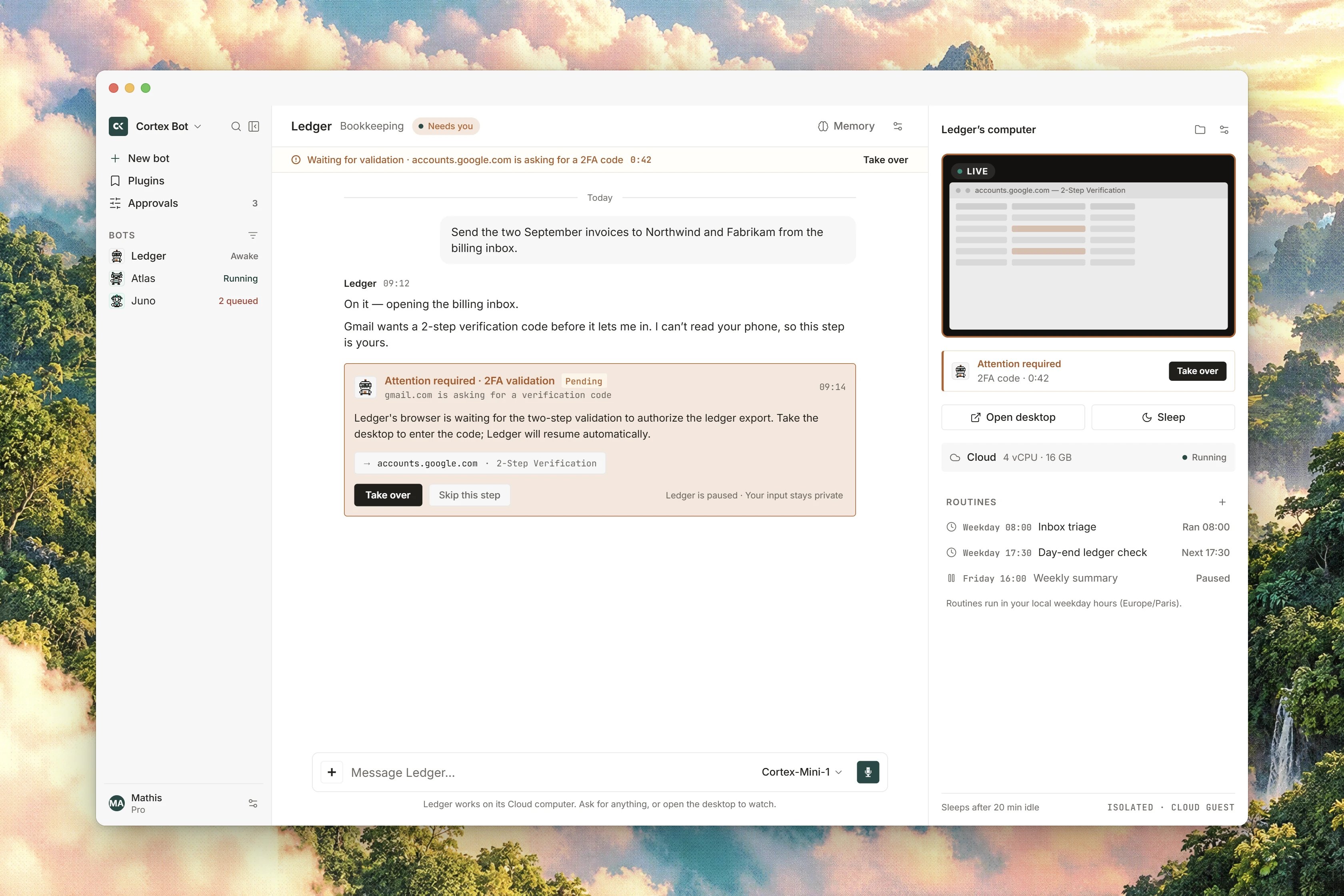
Interface preview
A question
A question
An
ask_user call renders a question widget with Reply or Confirm, and short Allow, Deny, Cancel or Dismiss actions where the question is a yes or no. Answered questions are marked Replied; one you waved off is marked dismissed.A secret
A secret
A
secret_request call renders a Secret widget with a field and a Give button, under the note Never shown in the conversation. The value goes straight to the bot’s vault, sealed, one named field at a time. A field name is 1 to 80 characters and a value is 1 to 4096 characters. See Connected apps and secrets.A parked tool
A parked tool
When the bot reaches a step that needs your consent, the turn parks and the widget asks
Allow {tool}? with the bot’s reason and the exact arguments it wants to run. Choose Allow, Deny or Always. See Approvals and tool policy.Waiting — the bot will continue as soon as it can. Nothing times out into a silent yes.
Outbound message drafts
When a bot wants to send a message somewhere else, it does not send it and tell you afterwards. It posts an Outbound message draft, markedDraft · not sent, and waits.
Request revision and Regenerate work by sending the bot a new instruction, so both start a fresh turn and produce a new draft rather than editing the one on screen. The original is cancelled either way, and if the request fails you are told plainly:
The replacement draft could not be requested. The original draft stays canceled. A settled draft is marked Draft handled.
Find something in a long thread
Because a bot’s thread never resets, it gets long. Search the conversation opens an in-thread find with the placeholderFind in this conversation….
Type at least two charactersuntil the query is long enough.- Matches are counted as
{index} of {count}, with Previous match and Next match to step through them. No matcheswhen nothing hits.- Close the search to go back to the thread.
Copied, and Delete this message. A message that describes work on code carries Open in Code, which is the one link from a bot thread into Cortex Code.
What the status word means
Every bot row in the sidebar shows a status on the right. Three of them are yours to set.
The other status words you may see,
Starting…, Running, Hibernated, Stopped, Archived and Error, describe the bot’s computer rather than the bot’s availability. They are covered in Computer.
When a bot has a tool parked, the status word is replaced by a small amber marker and the label Pending approval. That marker is the signal to open the bot, or to work the list on Inbox.
Related
- Approvals and tool policy - Allow, Deny and Always, and which tools always ask.
- Computer - watch the bot’s screen while a turn runs.
- How Bot works - the turn behind the thread, and why it has no round limit.
- Inbox - every bot’s questions, secrets and parked tools in one list.
- Bot tools - the tools that produce the bubbles above.