

Where a turn runs
A session binds one runtime, once per turn. There is no fallback. If the runtime you chose cannot be used, the turn refuses and tells you what to do rather than quietly running somewhere else.
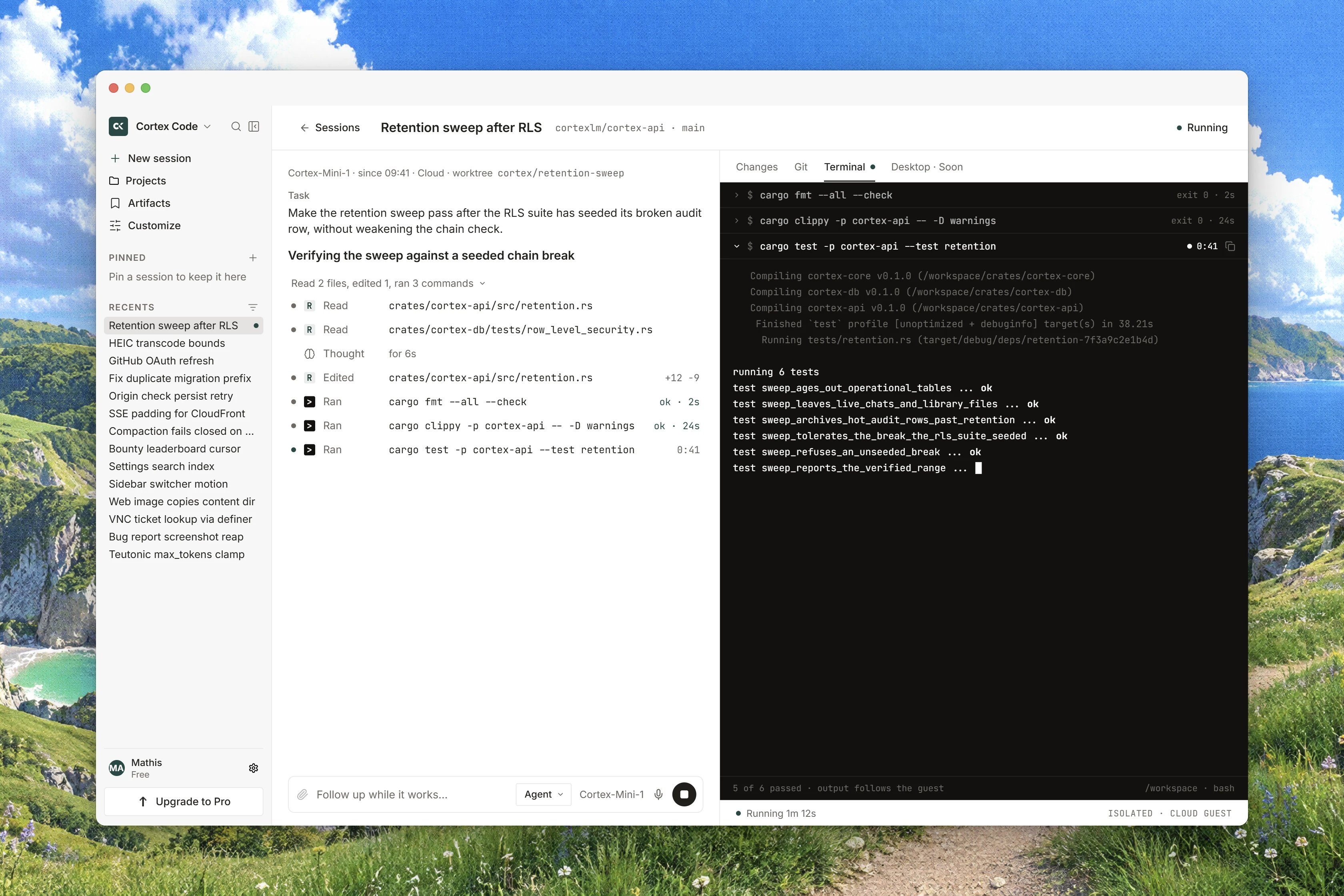
Everything the agent does happens inside that runtime. Reads, searches, edits and shell commands all execute there. Nothing runs in your browser, and the browser never receives SSH keys or host keys. The browser offers Cloud, plus a registered team runner when the deployment has one; This PC and SSH belong to the desktop app and the CLI. See Cloud runtimes and Code on desktop.
Interface preview
The turn loop, step by step
1
You describe the task
You write the ask and press Start session. Cortex creates the session and opens it. On a follow-up, the same thing happens without the navigation.
2
The runtime attaches
The first turn attaches the runtime. A Cloud session gets its own isolated guest prepared from the repository you chose, which is why a first session on a repository spends time installing before any work shows up.
3
The agent works in rounds
Each round the agent may call tools: read a file, list files by pattern, search by regular expression, edit a file, run a command. Each call appears in the transcript as a Read, Edited, Ran or Worked row with a duration, and long finished output is shortened so the column stays readable.
4
Something needs your decision
A command that needs a decision stops the turn and raises a card above the transcript: Allow once, Always allow, Deny. A file write does not use that card at all: it appears in Changes waiting for a human Approve.
5
The turn ends
A turn ends when the agent stops calling tools, when you press Stop, or when it reaches the round budget for a Code turn. A Code turn gets many more rounds than a chat turn, because a real coding task legitimately takes a lot of them.
6
What is left behind
The session row and its title, the transcript, the plan if there is one, the worktree branch, the pull-request link and the recorded usage all survive the turn.
A mode is a lock on the toolset
Ask, Plan and Agent are not instructions to the agent to behave differently. They decide which tools exist in the catalogue the turn is built with.- In Ask and Plan, the tools that change things are simply absent: writing a file, editing a file, running a command, updating the task list and dispatching the background worker. Nothing asks the agent to hold back, because there is nothing to hold back with. If a call is attempted anyway it is refused a second time when it is dispatched.
- Plan adds the one tool that publishes a plan, which is the only thing that fills the Plan tab.
- Agent has the full set, including edits, commands, a branch and a pull request.
Two gates, two different words
Cortex asks for your consent in two distinct places, and they are not interchangeable.
Always allow is a grant for that tool in this session only. It is not an account setting, it does not carry to another session, to Chat or to the CLI, and it never covers a file write. Every write, in every session, waits for a human Approve. Until then the tree is not written. Deny refuses a call and the turn continues with the agent told it was denied; a denial is not a crash.
Running commands is allowed or withheld as a whole. There is no per-command and no per-directory allowlist to configure, so the decision in front of you is the whole decision.
See Permissions and approvals and Changes and diffs.
When the context fills up
A long session eventually outgrows the model’s context window. Cortex compacts the transcript and says so, with Earlier turns were compacted. When the window is already full it asks: Context is full. Compact the session to continue. On a draft that is too long to send, you choose Keep in context or Compact anyway. Compaction fails closed. If it cannot run the turn stops rather than silently dropping history, and you see Compaction is not available on this deployment. or The session could not be compacted. Long tool output is shortened in the transcript for the same reason: the turn keeps fitting.Stopping a turn
While a turn runs, the send disc in the follow-up box is a square. Pressing it posts a cancel on the session; it does not merely close the connection. The cancel is recorded once. Pressing Stop again while a cancel is already pending is refused as an invalid state rather than counted twice. The session then reads Stopped and offers Continue, which sends Continue from where you stopped. A turn that ended in error is a different thing: it reads Failed and offers Try again. Stopped is never drawn as a failure. Detaching is not stopping. Detach stops you watching and the turn carries on; you must Attach again to send a follow-up or to answer a decision. In Focus view, approvals still interrupt you.What a Code session does not have
- No Chat tools. Web search, web page extraction, the Python sandbox, skills and the clock are Chat’s. A Code session runs the repository’s own Python through a shell command instead.
- No tool servers, connectors or plugins. A Code turn is built with an empty dynamic toolset, so a session may report Off · this session has no MCP access. and Off · Chat and Bot access does not carry into Code. Servers you configure for the workspace do not become a session’s tools. See Code integrations.
- No nested agents in the browser. The background worker a Cloud session can dispatch lists files and searches them; it is not a second agent with its own transcript. Nested transcripts belong to the Cortex desktop app.
- No screen. A Cloud guest is headless, and the session’s Desktop tab carries the badge Soon.
Related
- Code sessions for the board, the transcript and follow-ups.
- Ask, Plan, Agent for what each mode may reach.
- Permissions and approvals for both gates in detail.
- Cloud runtimes for the guest a turn attaches.
- Code in the terminal for the same loop from a terminal.